Find assessments and student work
Use Your Assessments to find a task by its dates, then open it to see which student work needs your attention. The dashboard separates tasks you have not shared from those students can join. Inside an assessment, the work groups separate submissions to review from work you have already reviewed.
The example shows Daniel Okafor's History assessments during a busy term. Start on Your Assessments with your own assessments; your titles, dates and counts will differ.
Calendar
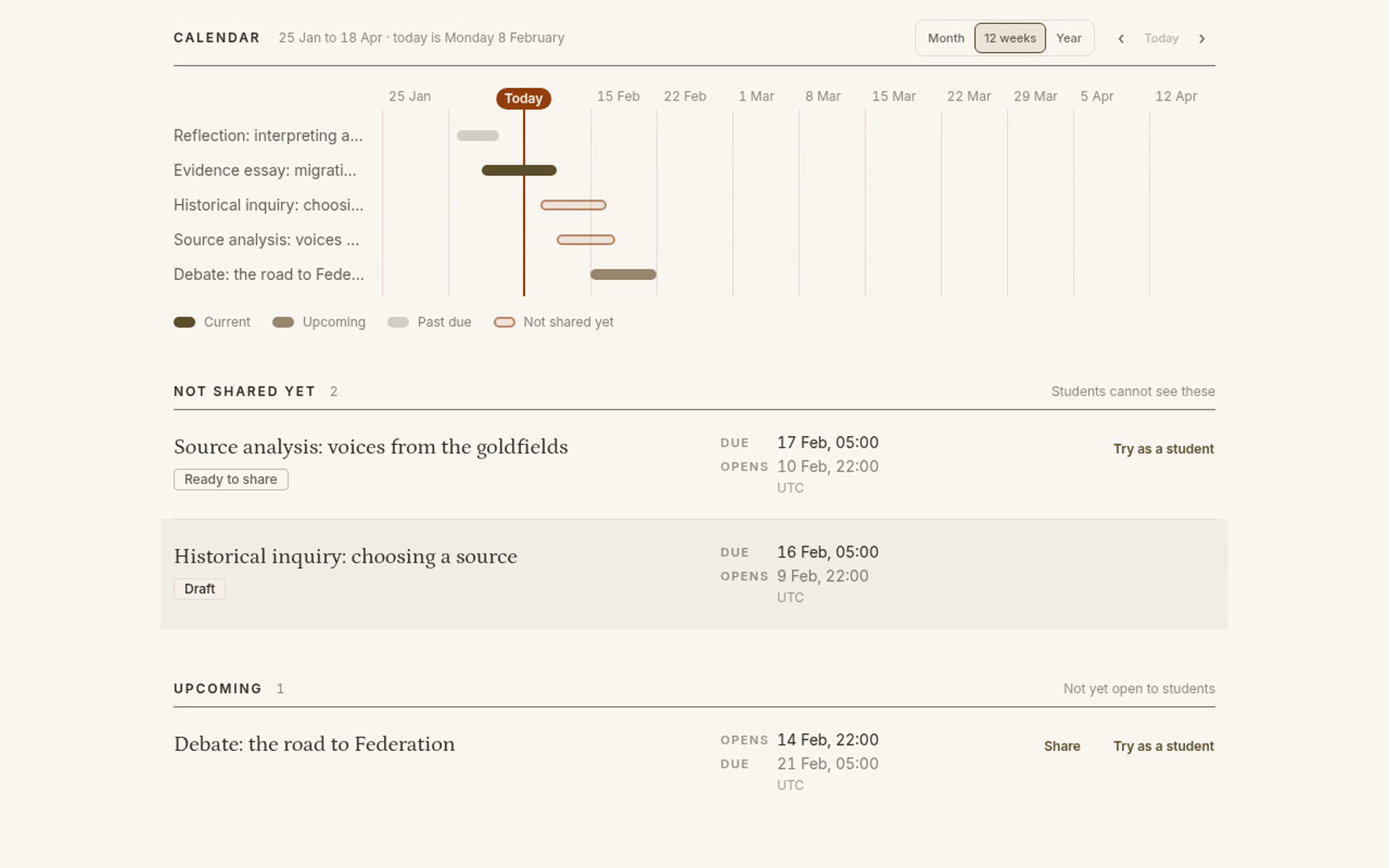
Calendar sits above the assessment lists. Each bar runs from an assessment's opening date to its due date. The Today line helps you see what is open now and what is coming next. Outlined bars belong to assessments you have not shared; filled bars distinguish Current, Upcoming and Past due, as shown in the legend.
The default range is 12 weeks. It is a view around today, not your institution's term dates. Select Month for a closer view or Year to see a wider span. These controls change the view, not your assessment dates.
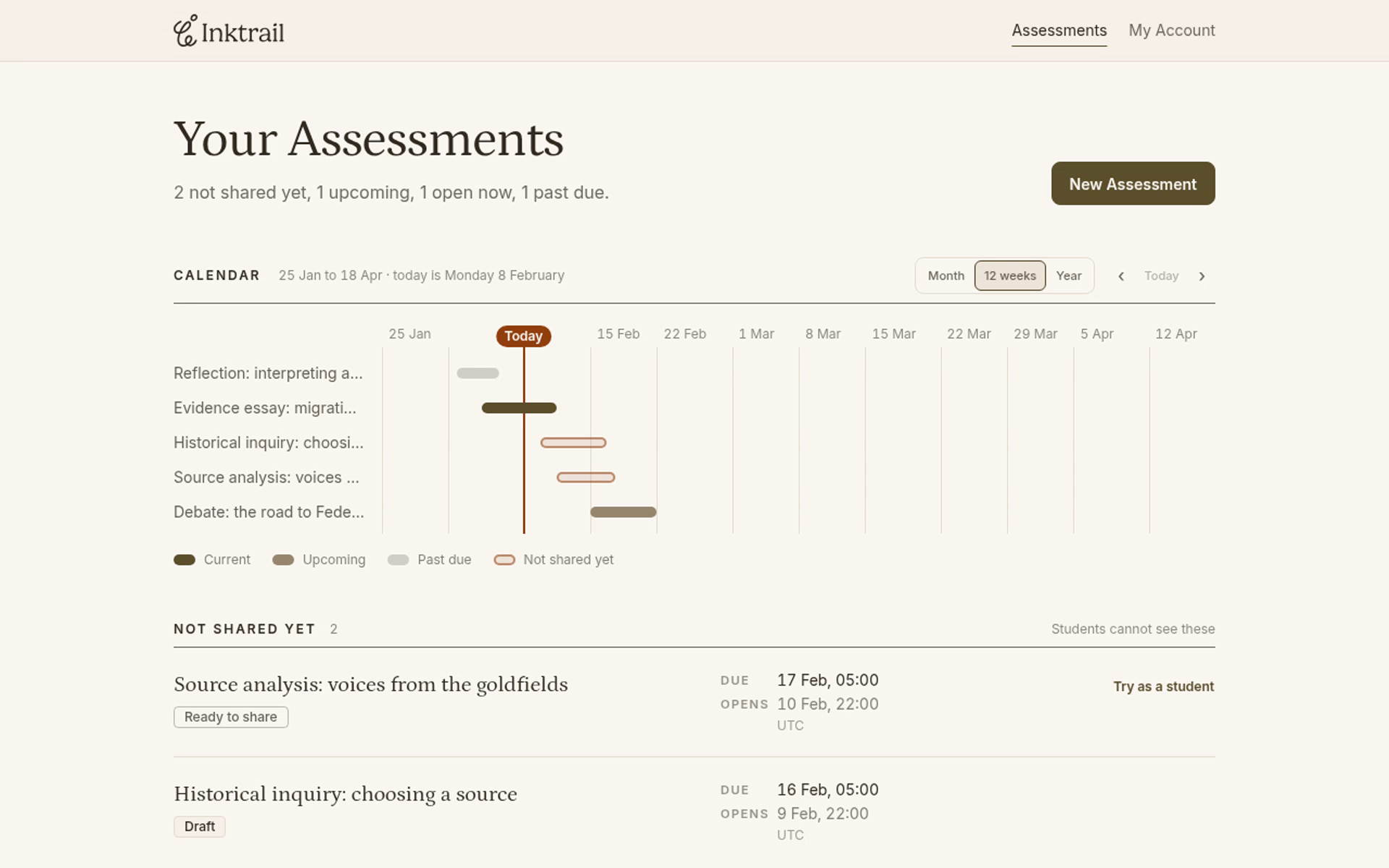
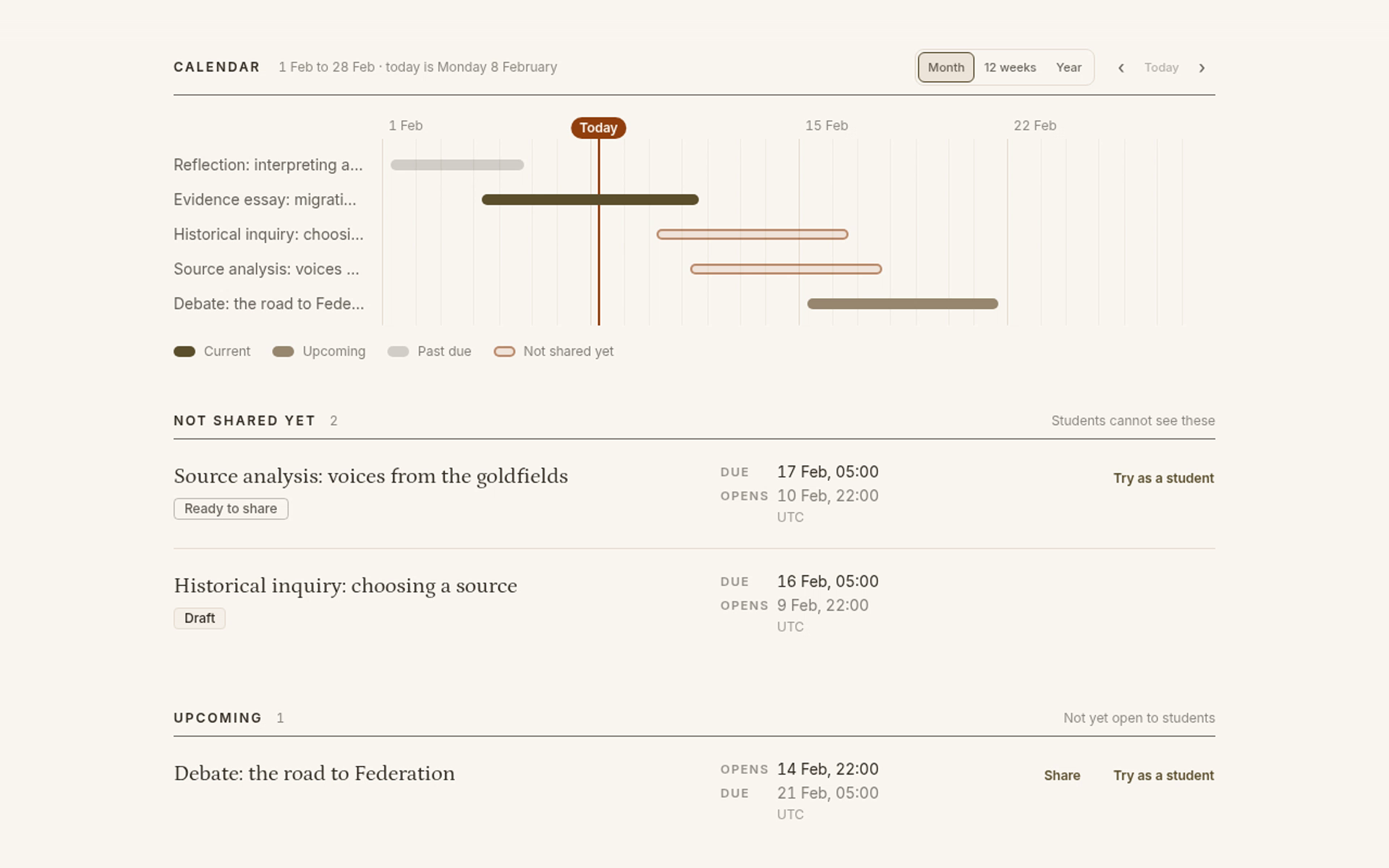
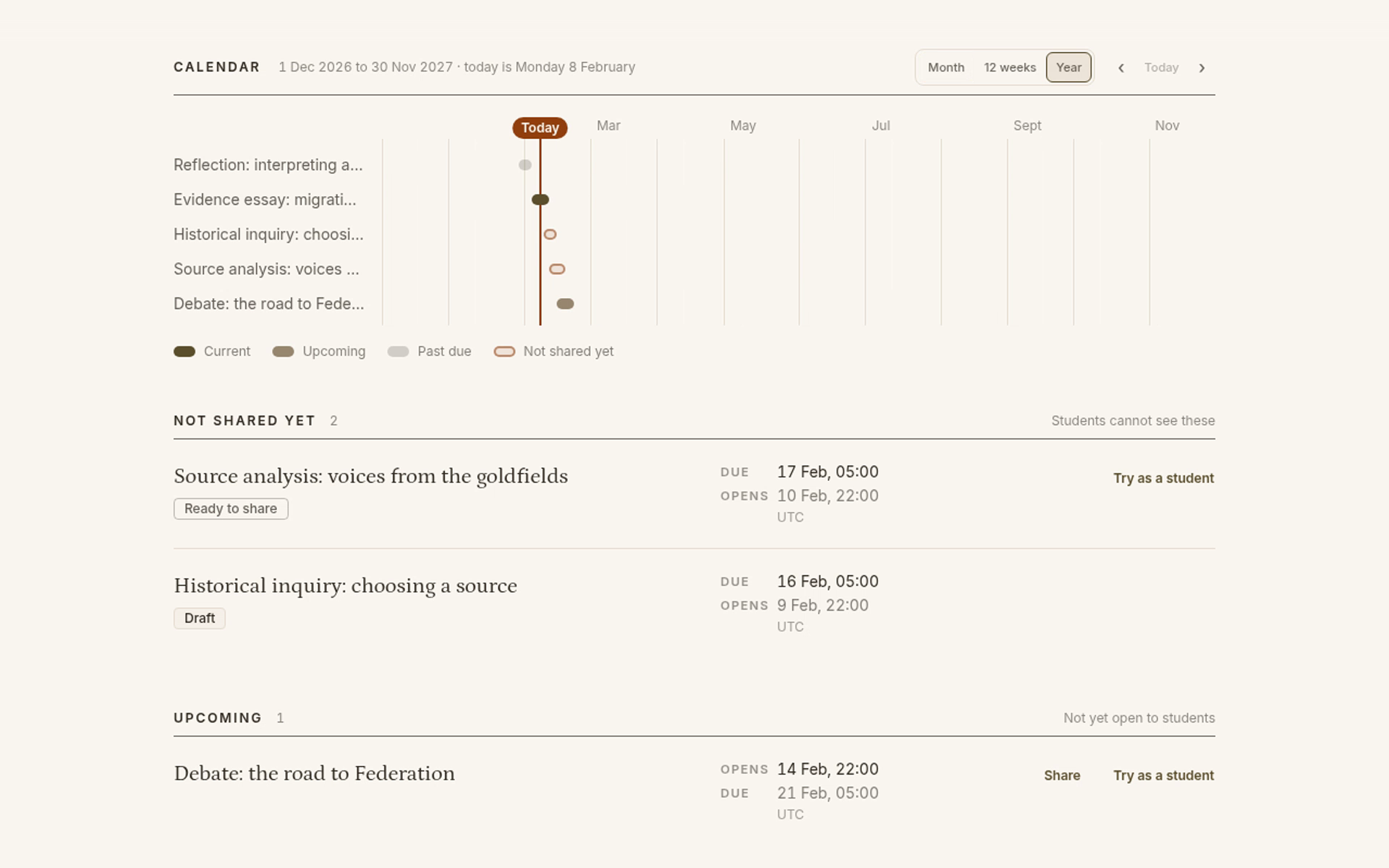
Select 12 weeks to return to that scale. Use ‹ to move earlier or › to move later within the selected scale. Select Today to bring the range back around today. In the example tour, moving earlier and then later twice leaves the range ahead of today; Today restores the starting range.
Assessment sections
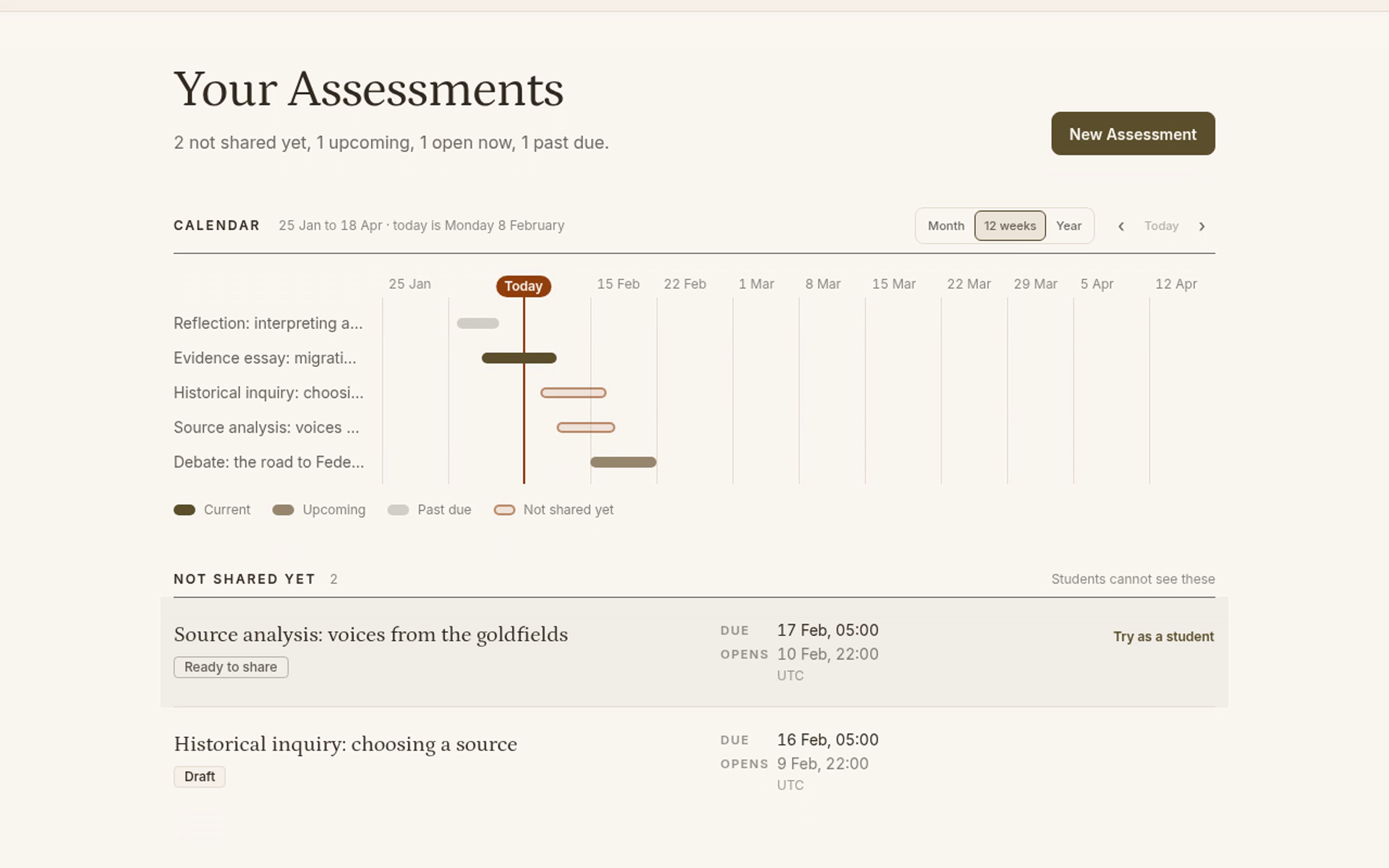
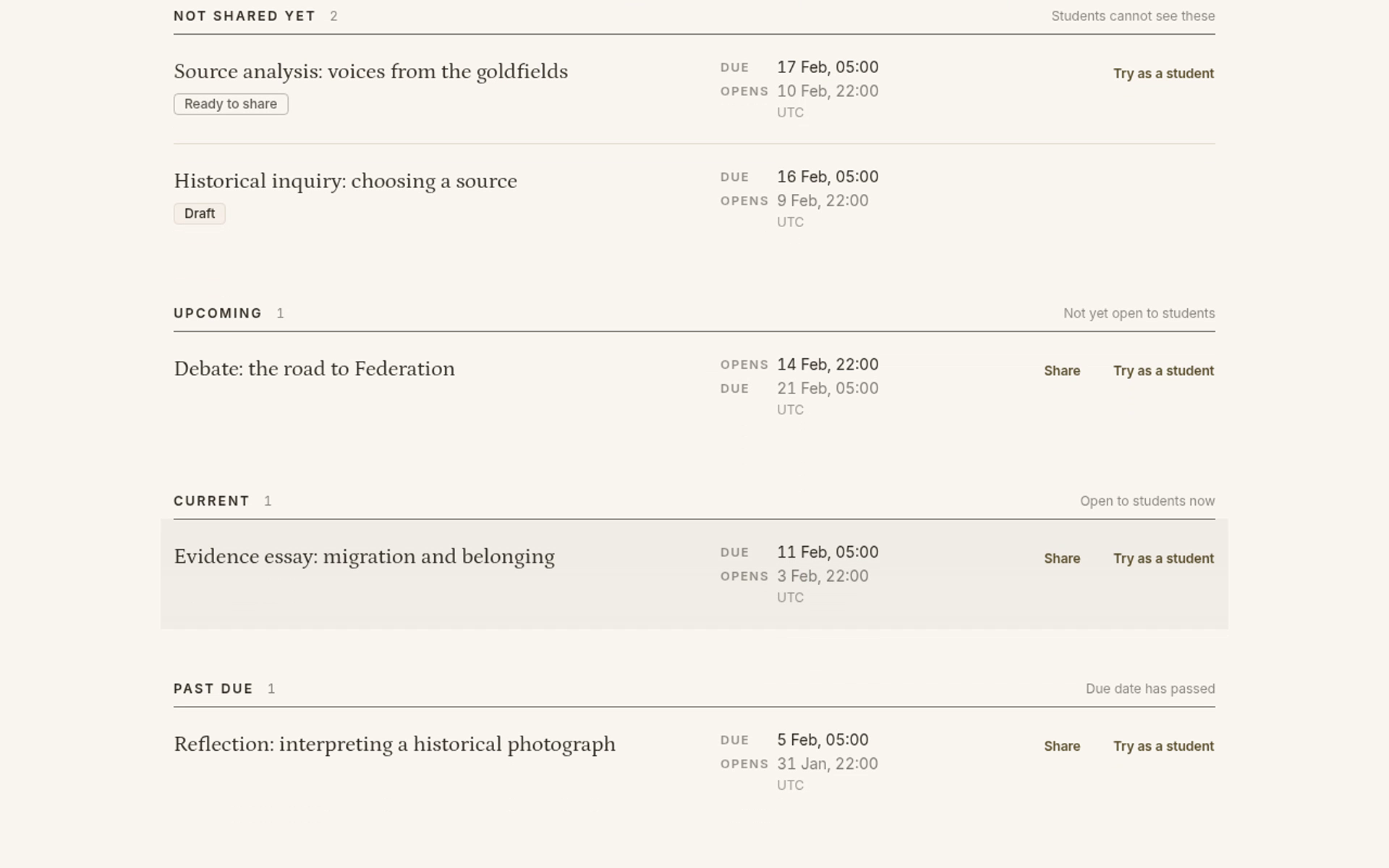
The lists below Calendar show the full assessment titles. They appear in this order.
Not shared yet
Students cannot see these assessments, regardless of their dates.
- Draft means you have saved an assessment but have not finished publishing it. The example is Historical inquiry: choosing a source.
- Ready to share means you have published the assessment for educator testing, but have not shared it with students. The example is Source analysis: voices from the goldfields. Its future opening date does not put it in Upcoming.
Upcoming
These assessments are shared, but their opening dates are still in the future. Look here for tasks students will start next. The example is Debate: the road to Federation.
Current
These shared assessments have reached their opening dates but not their due dates. Look here for work your class is doing now. The example is Evidence essay: migration and belonging.
Past due
These shared assessments have reached their due dates. A task being past due does not mean you have reviewed its submissions. The example is Reflection: interpreting a historical photograph.
Work groups inside an assessment
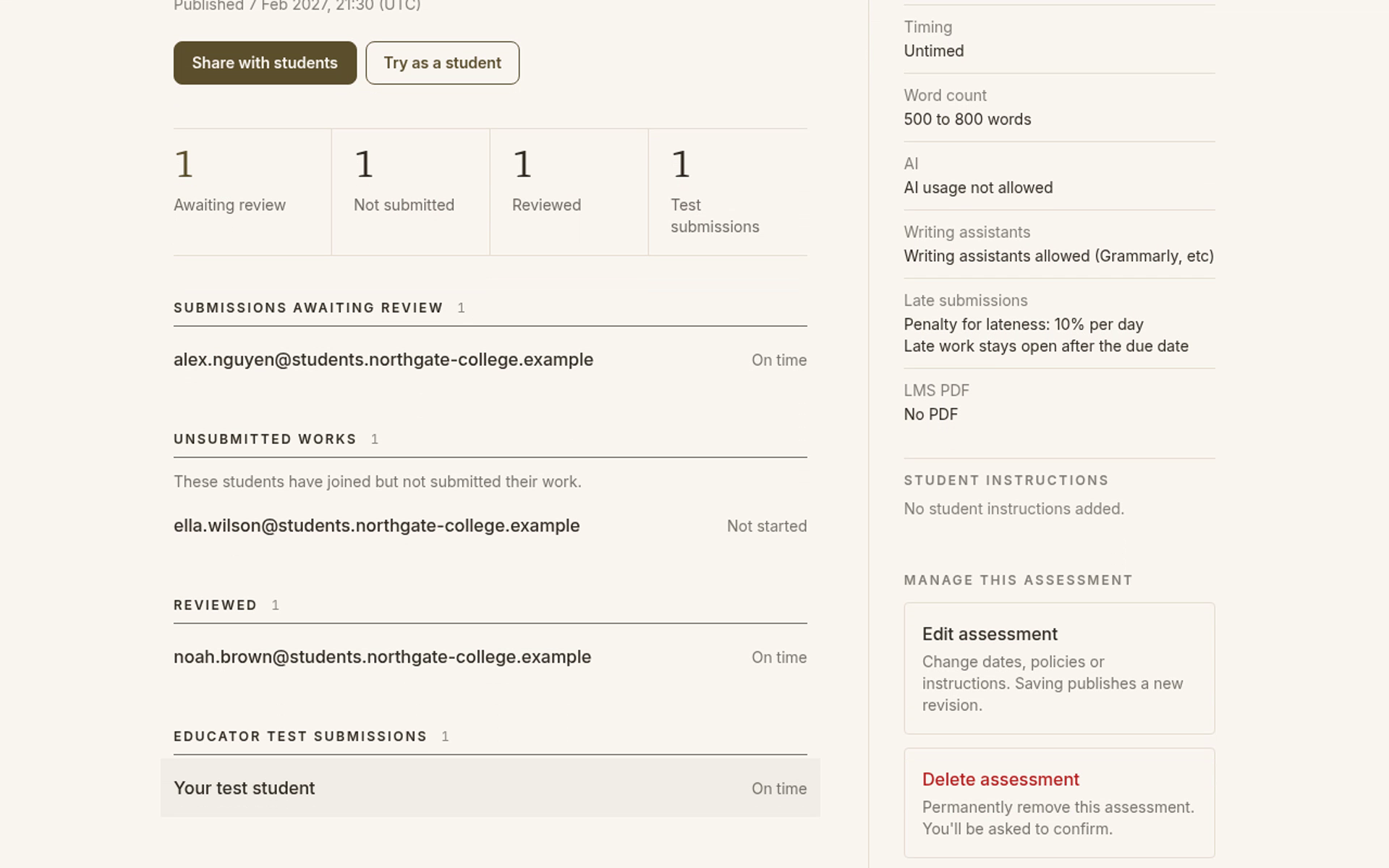
Under Current, select the assessment you want to review; for example, the screenshots show Evidence essay: migration and belonging. Its page groups student work in this order:
- Submissions awaiting review: submitted work you have not marked as reviewed. Alex Nguyen's submission is here.
- Unsubmitted works: students who have joined but have not submitted. Ella Wilson's work is here.
- Reviewed: work you have marked as reviewed. Noah Brown's submission is here. This means your review, not an automated judgement of the writing.
- Educator test submissions: submissions you made while trying the assessment as a student. They stay separate from your class's work.
Use the assessment section to find the task, then the work group to find the kind of work you need.